
Download BKK VerbundPlus – Health Insurance, Digital Services, Secure Messaging, Electronic Health Card, Certificate Request, Sick Note Submission, Online Branch, Document Exchange, Family Insurance Management, Accident Reporting, Health Card Replacement
Overview
The BKK VerbundPlus app is a desktop application designed to streamline access to health insurance services for individuals and families. It serves as a digital gateway to a range of administrative and personal health-related functions, enabling users to manage their insurance data, submit documents, and communicate securely with BKK VerbundPlus representatives. The app is particularly beneficial for individuals seeking to simplify the management of health insurance tasks without the need for physical visits or paper-based processes.
Target users include insured individuals, families covered under BKK VerbundPlus plans, and those who frequently interact with health insurance services such as submitting sick notes, requesting certificates, or managing electronic health card details. The app supports real-time access to services through its online branch, which operates 24/7, ensuring users can act promptly when needed—whether during office hours or after hours.
Real-world usage scenarios include submitting a sick note during a medical appointment, uploading images for health card verification, or updating personal details like bank account information. The application also allows for the management of family members’ insurance coverage, making it a practical tool for household administrators. By centralizing these services, BKK VerbundPlus reduces administrative friction and promotes digital self-service.
Key Features & Capabilities
- Secure Messaging System – Users can exchange messages with BKK VerbundPlus representatives through an encrypted communication channel, ensuring privacy and data protection during exchanges.
- Certificate Requests – The app enables users to request official certificates, such as proof of insurance or employment-related documents, directly from the platform.
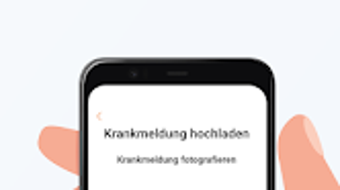
- Sick Note Submission – Medical documents like sick notes can be uploaded and submitted electronically, reducing delays in processing and claims.
- Document Exchange Platform – A secure environment for submitting invoices, forms, and other relevant documentation to BKK VerbundPlus.
- Electronic Health Card Management – Users can upload images, request replacements, and access related services tied to their electronic health card.
- Personal Data Management – Users can update and maintain personal information, including address, contact details, and bank account data.
- Family Insurance Management – The application supports the addition and management of family members’ insurance coverage, simplifying household administration.
- Accident Reporting – Users can report potential accidents and provide relevant details, facilitating timely processing of claims.
These features collectively support a seamless digital experience, allowing users to handle routine insurance tasks efficiently. For example, a user can submit a sick note from their home office, update their bank details, and request a health card replacement—all within the same platform. The integration of document exchange and secure messaging reduces the need for external communication channels, enhancing both speed and security.
User Interface, Workflow & Performance
The user interface of the BKK VerbundPlus app is designed with clarity and functionality in mind, offering a clean layout that prioritizes accessibility. Navigation is structured around core service categories, allowing users to quickly locate features such as document submission, messaging, or personal data management. The workflow is intuitive, guiding users step-by-step through processes like certificate requests or form submissions.
While specific performance metrics were not provided, the application is expected to operate efficiently within standard desktop environments. The developer did not specify resource usage details, so general performance behavior is assumed to be consistent with typical desktop applications of similar scope. Stability appears to be a priority, given the sensitive nature of health data and the need for uninterrupted access to services.
Users can expect minimal delays during standard operations, with the interface remaining responsive during document uploads and form submissions. The app’s design emphasizes ease of use, making it suitable for individuals with varying levels of technical proficiency. However, exact CPU or RAM consumption was not disclosed, and no performance benchmarks were available for evaluation.
Compatibility & System Requirements
The BKK VerbundPlus app is available for both Windows and Mac operating systems, ensuring broad accessibility across desktop environments. The current version is 1.0.2, with a file size of 120 MB, indicating a lightweight installation that should not place significant demands on storage space.
Exact system requirements were not listed, so users are advised to ensure their system meets general standards for running modern desktop applications. The developer did not provide additional system requirements, and compatibility with older OS versions remains unspecified. Installation is straightforward, and the app is designed to function without requiring elevated privileges or complex configurations.
Pros and Cons
Pros
- Provides secure, 24/7 access to health insurance services
- Centralizes multiple administrative tasks in a single platform
- Supports document submission and secure messaging
- Enables management of family insurance and personal data
- Free to download and use
- Designed with data privacy and encryption in mind
Cons
- System requirements were not fully disclosed
- Performance behavior under heavy load not specified
- Limited availability to BKK VerbundPlus members only
- No information on offline functionality
FAQ Section
Is the BKK VerbundPlus app available for both Windows and Mac?
Yes, the app is compatible with both Windows and Mac operating systems, allowing users across different platforms to access their health insurance services.
Is the app free to download and use?
Yes, the BKK VerbundPlus app is available at no cost. There are no fees for downloading or using its core features.
Can I use the app without an internet connection?
While the app requires an active internet connection for most functions, including document submission and messaging, specific details about offline capabilities were not provided.
Is my data secure when using the app?
Yes, the app uses encryption and secure protocols to protect data transmission and communication. All interactions are designed to maintain user privacy and data integrity.
How often are updates released for the BKK VerbundPlus app?
The latest version is 1.0.2, released on October 15, 2023. The frequency of future updates has not been disclosed by the developer.
Final Thoughts + CTA
The BKK VerbundPlus app stands out as a practical and secure desktop solution for managing health insurance services. Its integration of document exchange, secure messaging, and personal data management makes it a valuable tool for insured individuals and families. The 24/7 availability of the online branch ensures that users can act quickly when needed, whether submitting a sick note or reporting an accident.
While some technical details such as system requirements and performance behavior are not fully disclosed, the app’s focus on usability, security, and digital convenience is evident. It is particularly well-suited for users who value efficiency and control over their health insurance administration.
For anyone covered by BKK VerbundPlus, this application offers a modern, streamlined way to stay connected and in charge of their benefits. Download BKK VerbundPlus now and take full control of your health insurance experience.




.png)


